
Claude Cowork Complete Guide (2026): Setup, Automation, and Safety
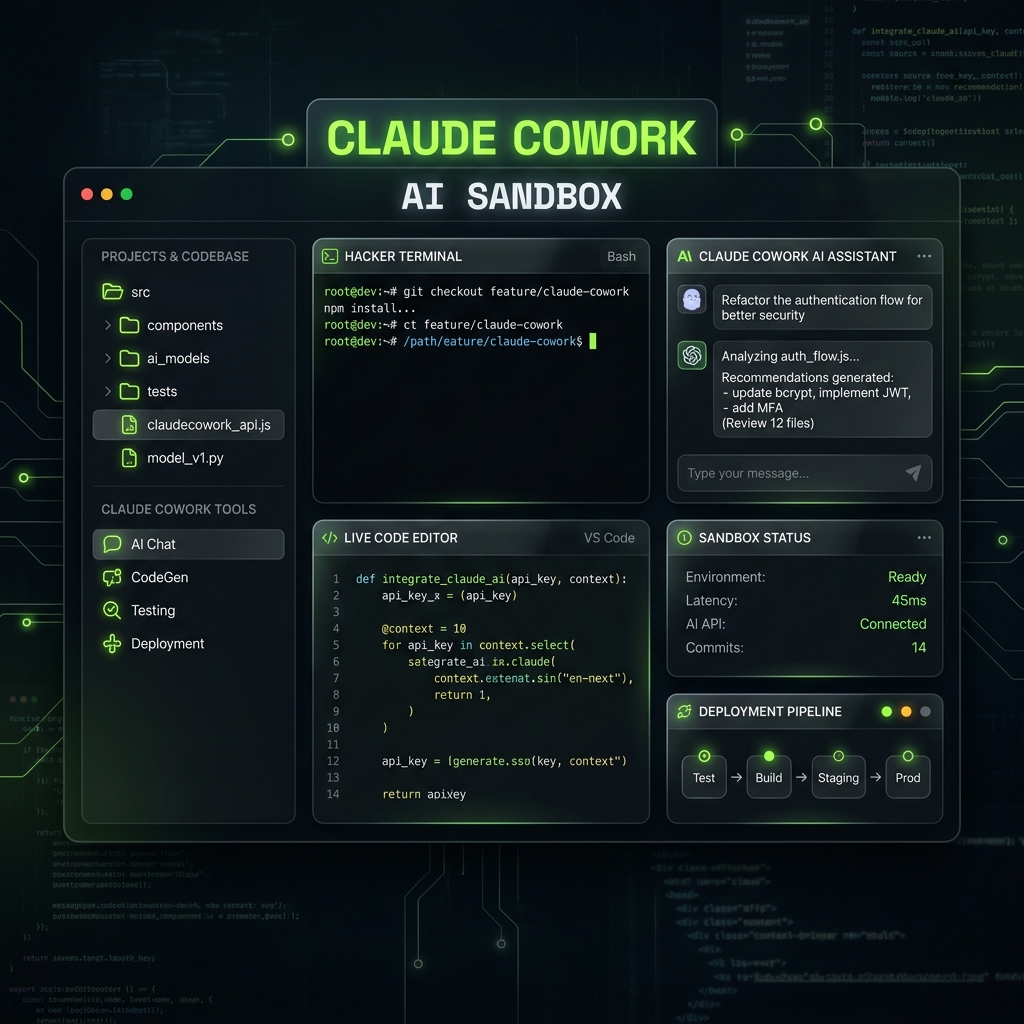
Claude Cowork is Anthropic’s research preview that brings agentic, file-backed task execution into Claude Desktop (paid plans). It works best when you treat it like delegated execution, not chat: you assign an outcome, Claude plans and runs multi-step work, and you review finished output in your folders.
If your current flow still feels manual, this guide gives you a practical system: setup, projects and memory, connectors, automation layers, usage discipline, and security controls. Feature names and limits can change during the preview—check Anthropic’s Cowork help docs for the latest.
What Claude Cowork is (and is not)
Claude Chat is conversation-first. Great for ideation and drafting while you stay in the thread.
Claude Code is terminal-first for developer workflows and repo-level execution.
Claude Cowork is delegation-first: a desktop experience aimed at knowledge work, built to handle complex, multi-step tasks over files you grant access to—with planning visibility, permissions, and human oversight.
That distinction matters. Chat helps you think. Cowork is for shipping repeatable outcomes from real folders and documents.
Setup in 4 steps (safe by default)
Before you automate anything, contain access. Many frustrating issues come from folder scope and permissions, not from “bad prompts” alone.
- Choose the right model: use your workhorse model by default, reserve higher-cost models for genuinely complex reasoning.
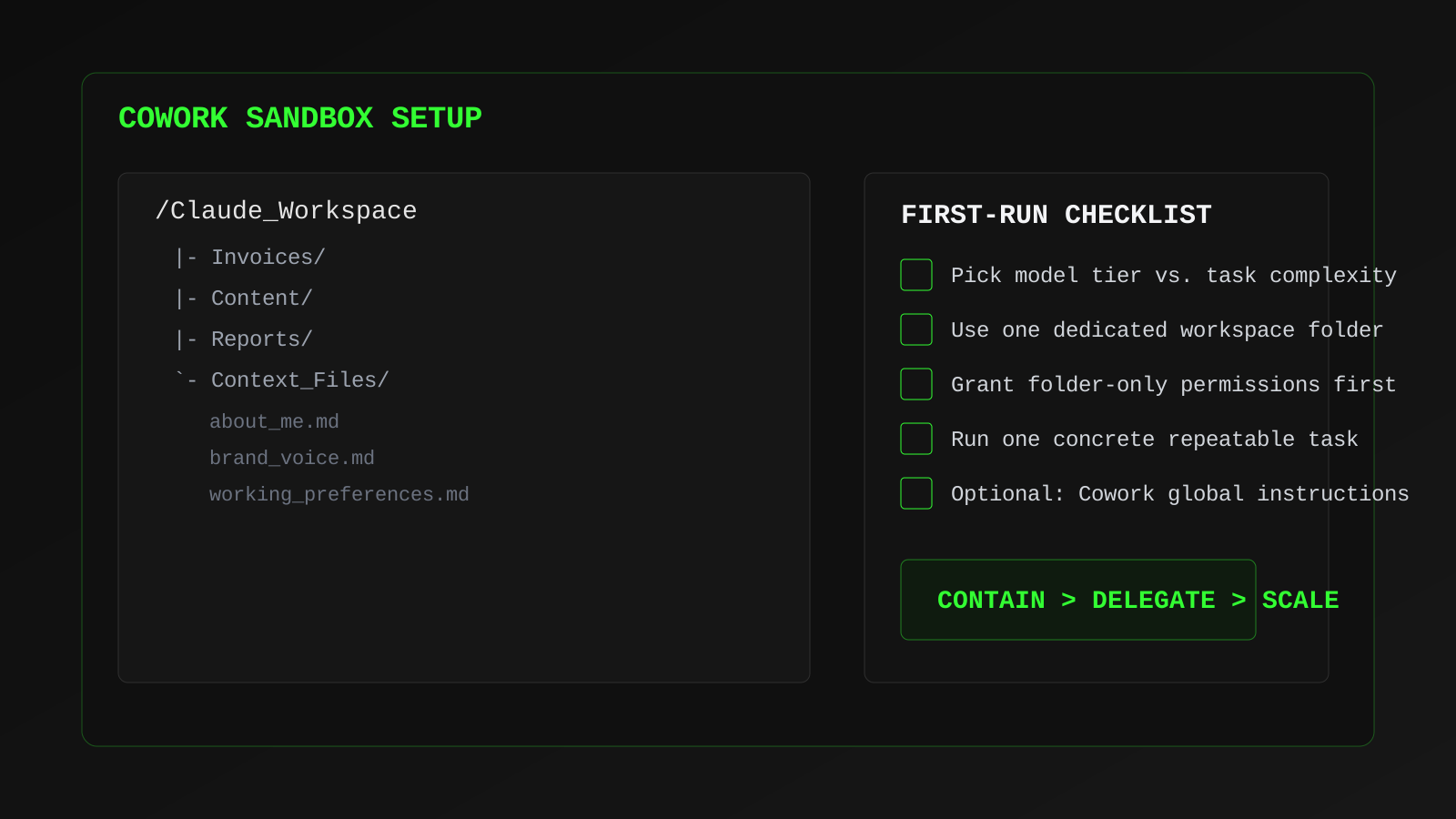
- Create a sandbox folder: keep Cowork scoped to one dedicated workspace.
- Grant folder permissions only: avoid broad machine-wide permissions on day one.
- Run one concrete task: example: sort invoices by category and generate a summary sheet.
Build project memory so context compounds
Anthropic’s docs emphasize projects in Cowork as the place where files, links, instructions, and memory stay grouped. Memory is supported within projects; it is not retained the same way across standalone Cowork sessions outside that structure—so if you want compounding context, use a project as your home base.
Use separate projects for separate domains (content, finance, product ops). Mixed projects create instruction bleed and output drift.
Create a minimal "business brain" in markdown files:
about_me.md: company model, audience, priorities, offersbrand_voice.md: writing style, forbidden phrases, preferred toneworking_preferences.md: file naming, output formats, save paths
These files are reusable context assets, not one-off prompt text.
Use instruction layers correctly
Stable results come from separating account defaults from Cowork-specific and folder-level rules (as described in Anthropic’s Cowork docs):
- Claude-wide settings: capabilities, connectors/MCP permissions, and internet access—review these before expanding scope
- Cowork global instructions: standing instructions for every Cowork session (Settings → Cowork in Claude Desktop)
- Folder instructions: context tied to the local folder you attach for a task or project
Keep finance and content rules in separate projects or folders so instructions do not bleed together.
Connectors, web access, and computer use (in order)
Default to the smallest surface area that still completes the job. Anthropic documents MCP connectors, configurable internet access, and (where enabled) deeper computer control for Cowork—each step increases power and review burden.
- MCP connectors: authenticated tool access with per-connector permission prompts
- Web and research workflows: depend on your Claude capability settings; treat unfamiliar sites and tools as untrusted until you have a reason to allow them
- Computer use (when available): broader desktop interaction; treat this as highest risk and read Anthropic’s Use Cowork safely guidance before enabling aggressive automation
If an app has no first-party connector, prefer a narrow integration or manual export over granting sweeping access.
The automation stack that actually scales
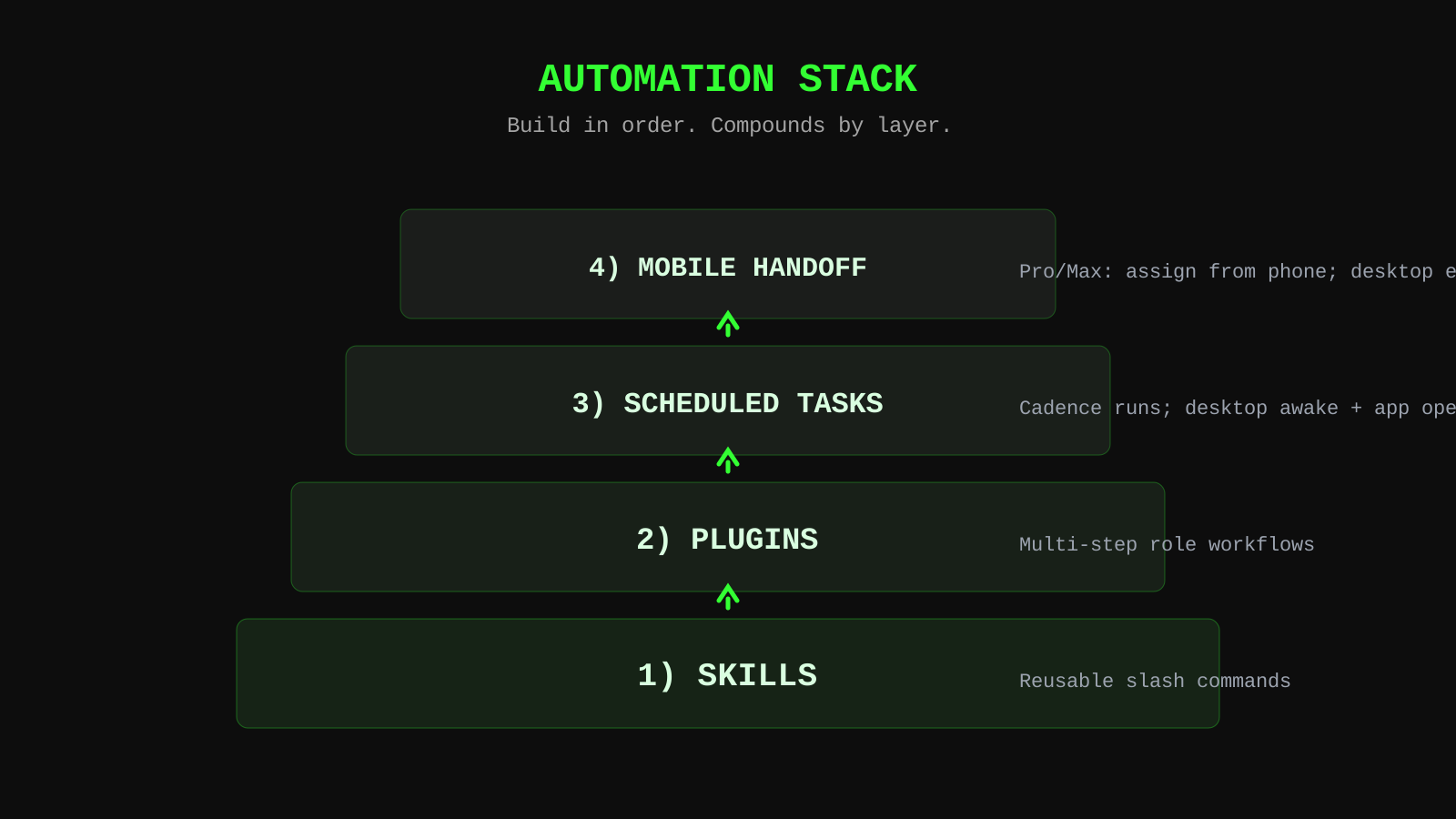
If you repeat a task weekly, automate it. Build in sequence instead of trying to launch everything at once.
- Skills and slash commands: e.g.
/schedulefor recurring tasks (per Anthropic’s scheduling docs) - Plugins: Anthropic describes plugins as bundles of skills, connectors, and sub-agents—use them when you need a packaged workflow
- Scheduled tasks: on a cadence you choose; they only run while Claude Desktop is open and the computer is awake
- Mobile task handoff (Pro and Max): you can assign work from the mobile app while your desktop continues the task with local files and connectors—your desktop session still has to be available per Anthropic’s “assign from anywhere” documentation
Three workflows worth building first
1) Morning brief: summarize calendar, inbox priorities, and relevant news into one dashboard before your first meeting.
2) Content repurposer: one source URL in, platform-specific post drafts and documentation out.
3) Monthly financial snapshot: categorize receipts/transactions and export a clean HTML summary for review.
These three cover executive awareness, growth output, and operational clarity with minimal custom engineering.
Usage discipline: avoid waste
Anthropic states Cowork consumes more of your usage allocation than standard chat because multi-step tasks are token-heavy. Common process mistakes stack on top of that:
- Too many connectors active when they are not needed
- Overlong mixed-topic threads that reload stale context
- Conversationally processing large batches instead of using reusable skills/scripts
Run focused sessions. New topic, new thread. Keep active tools minimal for each task.
Security non-negotiables
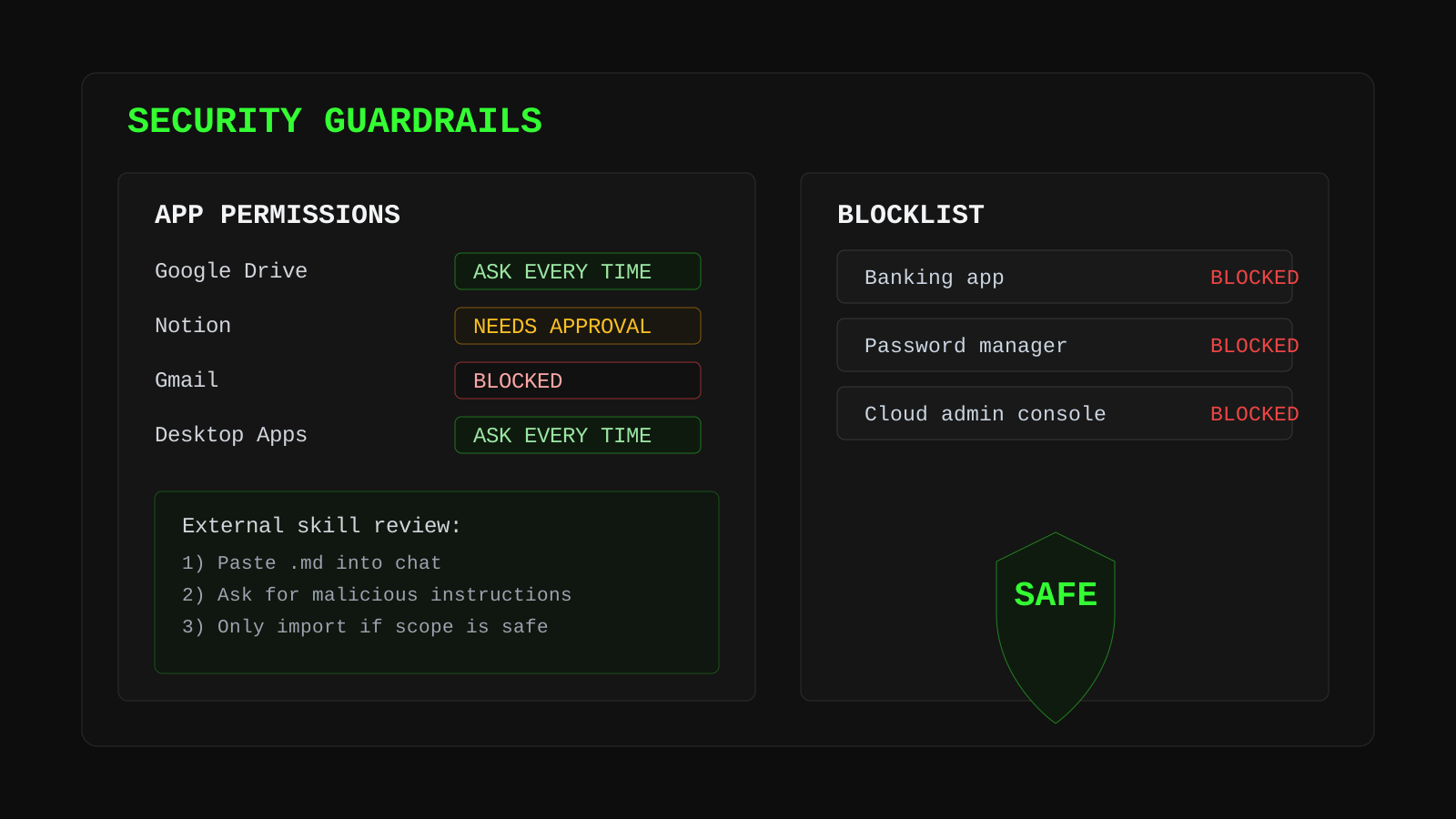
A common risk class is untrusted instructions and plugins—anything that can steer an agent toward broader access. Treat third-party skills and plugin bundles as untrusted until you have reviewed them.
- Maintain a blocklist of sensitive apps and accounts
- Require approval for high-risk actions
- Review third-party skill files before enabling them
- Avoid broad permissions unless the task requires it
Quick check: paste any external skill instructions into chat and explicitly ask for harmful behavior, hidden side effects, or scope violations before importing.
Final takeaway
Getting value from Cowork is less about clever prompting and more about operating design: clean workspace boundaries, explicit context files, layered automation, and strict safety defaults—especially while the product remains a research preview.
Start with one sandbox folder, one repeatable task, and one packaged workflow (skill or plugin). Once that loop is stable, add schedules and mobile handoff if your plan supports them.
Want cleaner AI task execution? Use a spec layer before you delegate. Try BrainGrid and our workflow config →